Subscription & in-app purchase prices and localizations, from one screen
Stop guessing and stop clicking through 175 territories. Connect your App Store Connect API key, set regional prices for subscriptions and in-app purchases with Apple-, Netflix-, or Spotify-style PPP, and bulk-edit localized display names and descriptions before you save safely to App Store Connect.
$10 in the US is not $10 everywhere
A single global price is either too expensive for low-income countries or leaves money on the table in high-income ones. App Store Connect supports 175 territories, but updating them by hand is slow, error-prone, and easy to abandon.
-
Missed revenue and unfair prices
Without purchasing power parity, your price is often too cheap in rich countries and too expensive in others. Both hurt revenue.
-
175 territories, one tiny web form
Manually clicking through App Store Connect every time you want to adjust pricing is tedious, brittle, and makes experiments nearly impossible.
-
Easy to make mistakes
It only takes one wrong currency or date to break trust with users in an entire region.
PriceWizard solves this with PPP-aware bulk pricing and metadata tools
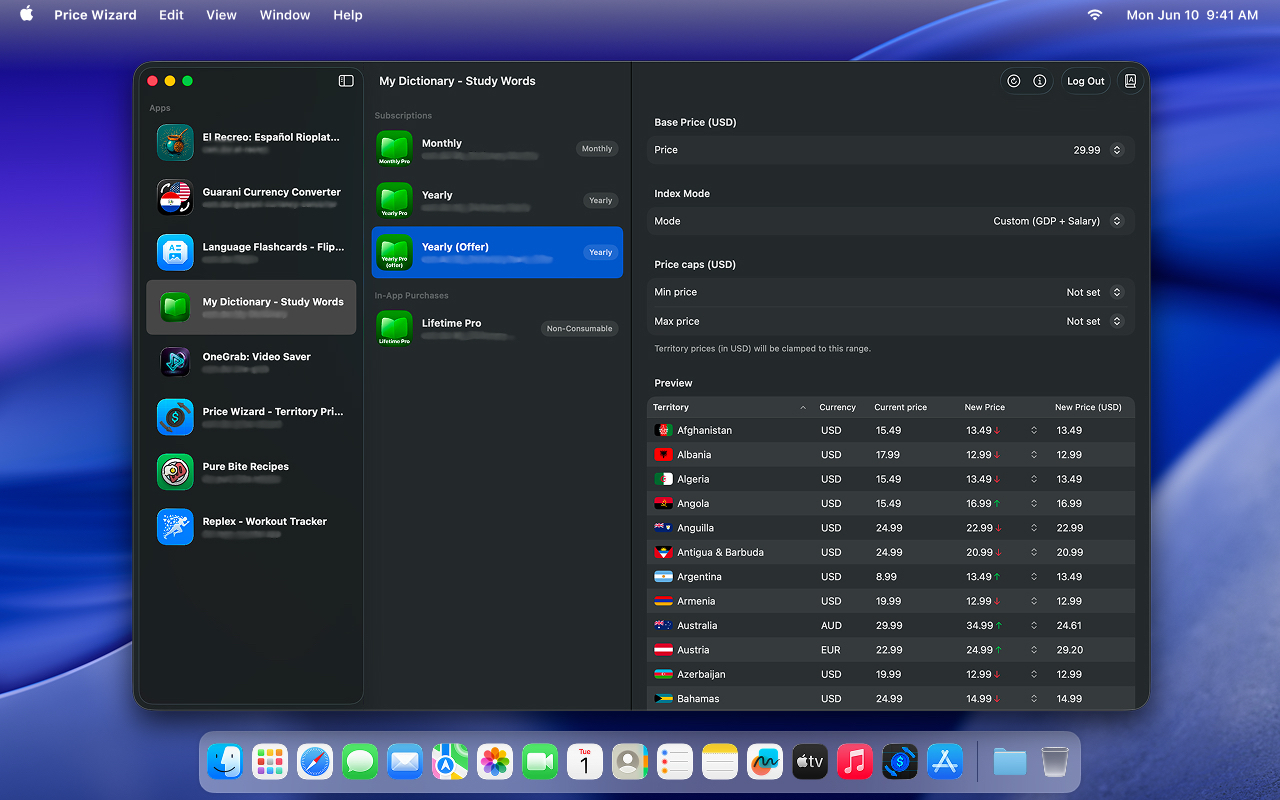
Go from hours in App Store Connect to one safe bulk apply for prices, while matching purchasing power instead of a flat number. Edit subscription and in-app purchase localizations without juggling spreadsheets.
-
Set up once, stay secure
Your API key lives only in your device’s Keychain (iOS or Mac). We never see it. Connect once and you’re done.
-
See every market before you commit
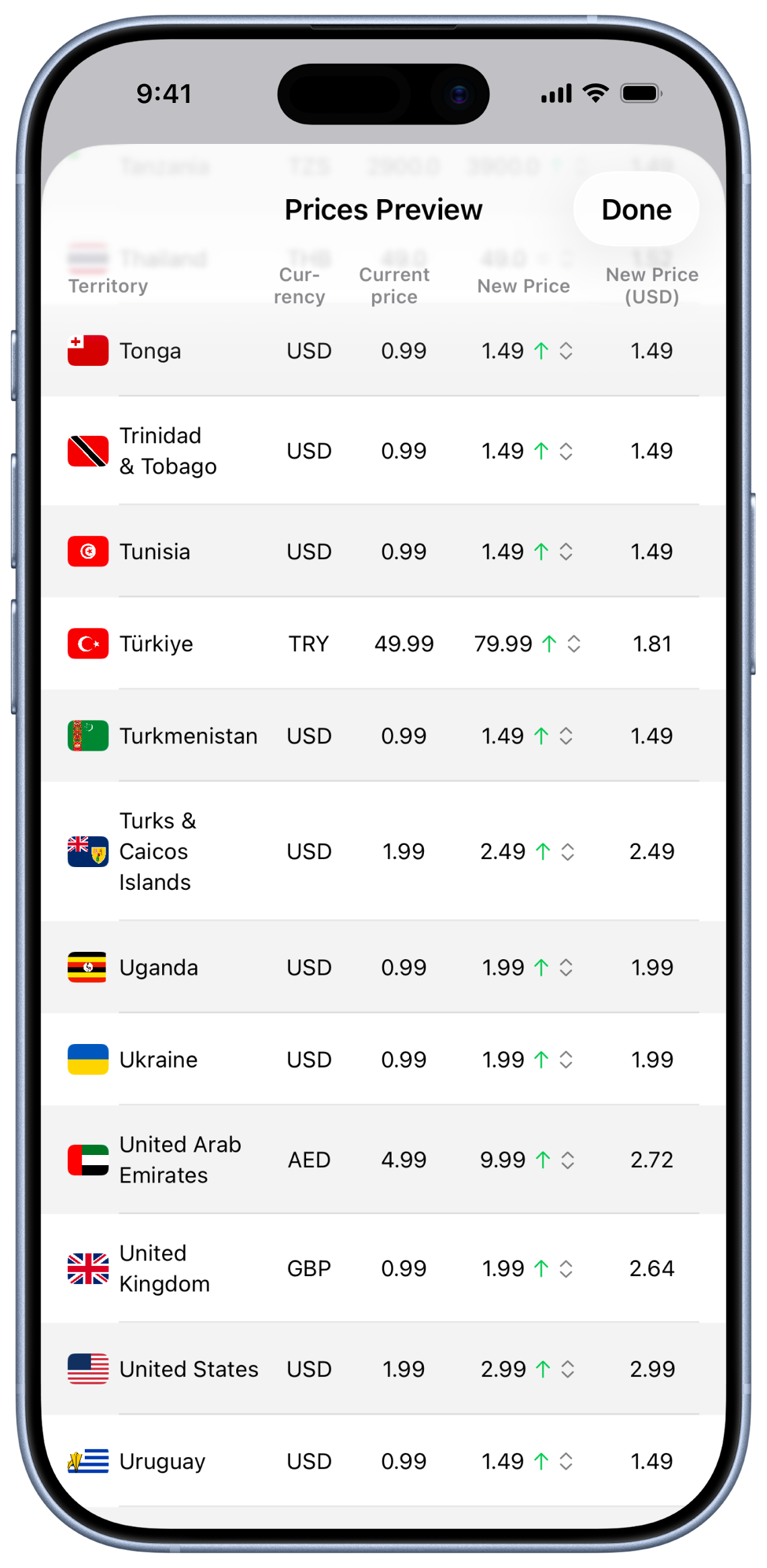
Pick your US price and instantly see what each of 175+ territories will charge in local currency and USD. No surprises, no wrong price in the wrong country.
-
Apple-, Netflix-, and Spotify-style regional pricing
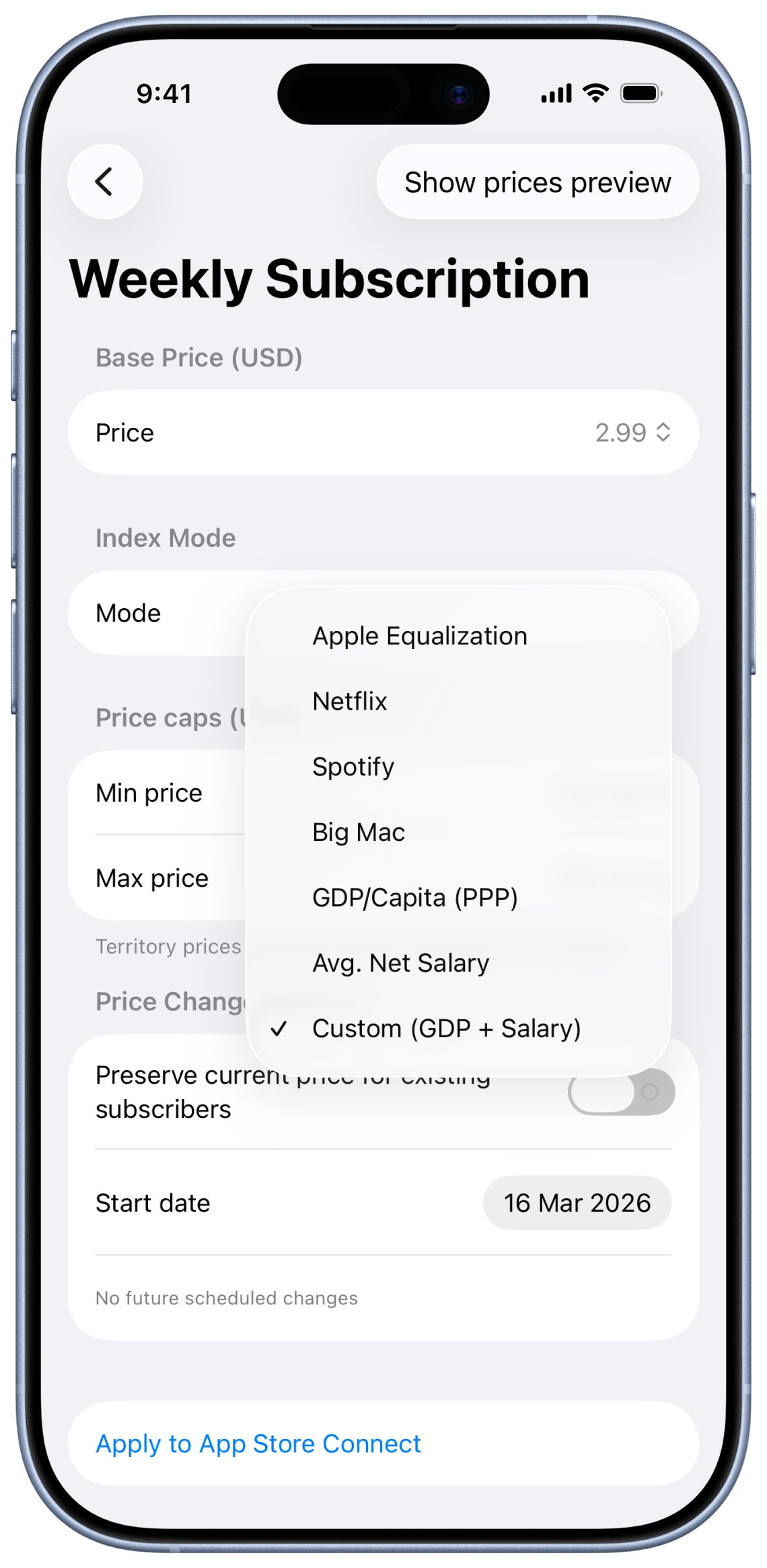
Use Apple Equalization, Netflix-style, or Spotify-style regional pricing based on purchasing power. Override per territory when you need finer control.
-
Minutes, not hours
One click applies the right price everywhere. The app skips what’s already correct and avoids conflicting dates, so experiments stay safe.
-
Subscription & IAP metadata
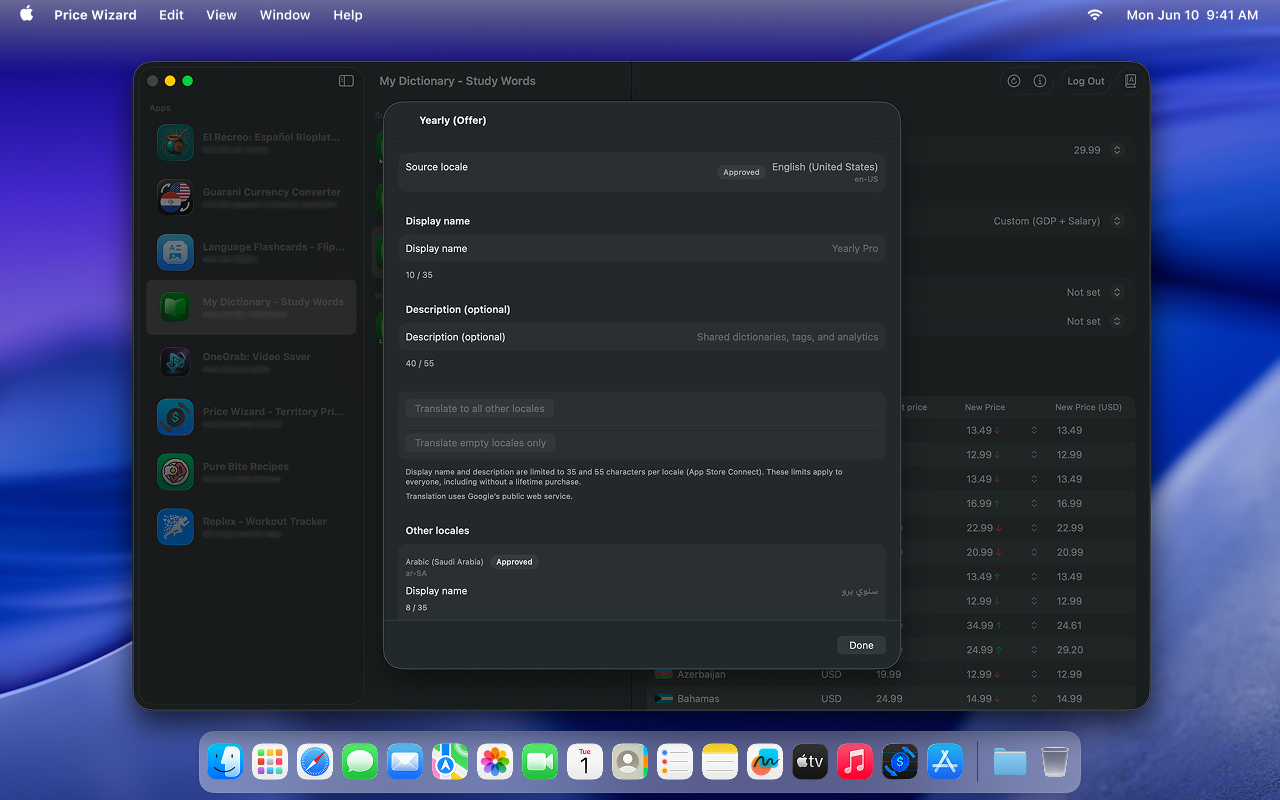
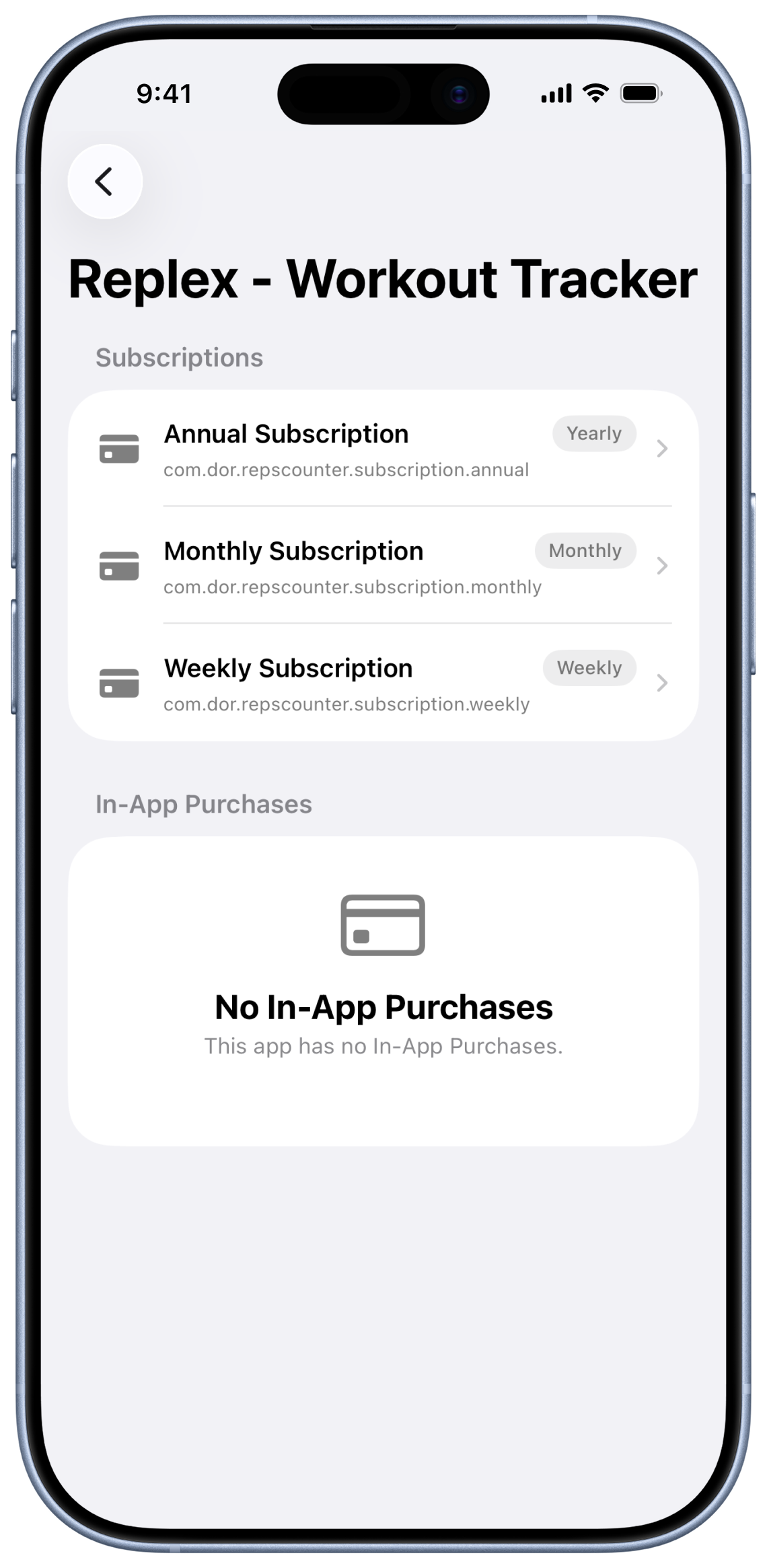
Bulk-edit localized display names and descriptions for subscriptions and in-app purchases, optionally machine-translate from your source language, and save to App Store Connect in parallel.
Screenshots
How it works
From first launch to updated prices across 175+ countries in four steps.
-
Connect App Store Connect
Use your App Store Connect API key (Key ID, Issuer ID, and .p8 file). PriceWizard stores it only in your device’s Keychain and talks directly to Apple.
-
Choose base price and strategy
Select your US base price and pick a pricing strategy: Apple Equalization, Netflix-style PPP, or Spotify-style PPP. You can override any territory.
-
Review every territory
Preview the resulting price per territory, in local currency and USD, before you apply anything. Adjust outliers until it feels right.
-
Apply safely in one go
Apply changes across all territories from one screen. PriceWizard skips territories that already match your target price and won’t touch dates that already have a scheduled change.
Requirements
- iOS 17 or later
- macOS 15 or later
- App Store Connect API key with Key ID, Issuer ID, and .p8 file (Manager or Admin)
Get your key in App Store Connect → Users and Access → Integrations → App Store Connect API. Download the .p8 once - Apple won’t show it again.
Price
Try PriceWizard for free: you get 5 free App Store Connect actions (price applies and metadata saves count toward the same limit) before payment is required. After that, a one-time, lifetime in-app purchase unlocks unlimited use ($24.99 in the US; prices may vary by country). No subscription. See Terms of Use for details.
Privacy
We don’t collect or receive your data. Your API key stays in your device’s Keychain. The app talks to Apple’s API, RevenueCat (purchase entitlements), optional services for exchange rates and remote configuration, and — if you use machine translation — Google’s public translate endpoint from your device. See our Privacy Policy for details.